Key takeaways
- Compare three compact gaming desktops with powerful GPUs, fast SSD storage and DDR5 memory, and learn how to choose the right small tower for your desk.
Choosing a small-form-factor gaming desktop is really a decision about compromise: how much graphics power, cooling headroom and upgrade room are you willing to trade for a machine that fits on, under or beside a modest desk? A compact tower that looks perfect in a product photo can disappoint if its graphics card is a low-power variant, its memory cannot be expanded, or its single small SSD fills up within months.
This guide is for players with limited desk space who still want a proper prebuilt gaming PC rather than a laptop or an office mini PC. Every pick below is a complete gaming desktop sold as one system, and each one was chosen from its Amazon product title and specifications, with the processor, graphics card, memory and storage compared exactly as the listing states them.
Quick Picks
As an Amazon Associate we earn from qualifying purchases
| Product | Best for | Key spec from title |
|---|---|---|
| ASUS ROG G22CH DB779 | Compact tower gaming at high settings | NVIDIA GeForce RTX 4070 |
| Corsair ONE a600 | Maximum power in a compact case | Liquid Cooled NVIDIA GeForce RTX 5080 GPU |
| ASUS ROG NUC 970 | The smallest gaming footprint | GeForce RTX 4070 8GB GDDR6 |
How to Choose
Match the graphics card to your monitor first
The graphics card decides what your monitor can actually show, so start there rather than with the processor. For a 1080p high-refresh monitor, an RTX 4070-class card in the ROG G22CH or ROG NUC 970 gives you comfortable headroom in competitive titles and demanding single-player games alike. If you play on a 1440p or 4K display, the step up to the liquid-cooled RTX 5080 in the Corsair ONE a600 is the meaningful upgrade in this group. Check the exact card named in the listing title, because compact systems sometimes use lower-power variants that share a familiar name.
Check the processor and memory pairing
A strong graphics card needs a processor and memory configuration that can keep up without becoming the bottleneck. Look for a balanced pairing: the G22CH combines an Intel Core i7-13700KF with 32GB of DDR5 RAM, while the Corsair ONE a600 pairs an AMD Ryzen 9 9900X3D with 64GB of DDR5 memory for players who also stream, edit video or keep many applications open. For most gaming-only setups, 32GB is a sensible target, as listed for both ASUS systems here. Avoid compact desktops that pair a capable graphics card with only a small amount of memory you cannot later expand.
Measure your space and think about cooling
Small-form-factor covers a wide range, from the tiny ROG NUC 970, which is closer in spirit to a games console on your desk, to compact towers such as the G22CH that still follow a traditional desktop layout. Measure the width, depth and height of the space you actually have, including room behind the machine for cables and exhaust air. Cooling design matters more as the case shrinks: the Corsair ONE a600 uses liquid cooling for both its processor and its graphics card, an approach intended to manage heat inside a sleek, tightly packed aluminum case.
Plan storage for a modern game library
Game installs are large, so storage capacity deserves as much attention as storage speed. A 1TB SSD, as fitted to both ASUS picks here, is a workable starting point if you rotate a handful of games, but it fills quickly once several large titles, launchers and capture files compete for space. The Corsair ONE a600 lists 2+2TB of M.2 SSD storage, which suits a big permanent library. Before buying any compact desktop, check what the listing says about the number and type of drives, because adding storage later is not always straightforward in a small chassis.
The 3 Best Options
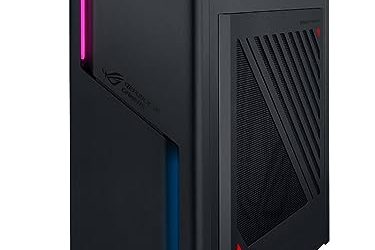
ASUS ROG G22CH DB779

The ROG G22CH DB779 is the most conventional answer in this guide: a small-form-factor tower that keeps a familiar desktop layout while shrinking the footprint. Its Intel Core i7-13700KF and NVIDIA GeForce RTX 4070 pairing targets high settings and high refresh rates, and 32GB of DDR5 RAM means you are not forced into an immediate memory upgrade. The 1TB Gen 4 SSD covers a reasonable starting library. Choose it if you want compact-tower convenience and strong all-round gaming hardware in one balanced configuration from a dedicated gaming line.
Specs
- Model: G22CH-DB779
- Form factor: Small Form Factor gaming desktop PC
- Processor: Intel Core i7-13700KF
- Graphics: NVIDIA GeForce RTX 4070
- Memory: 32GB DDR5 RAM
- Storage: 1TB SSD Gen 4
- Operating system: Windows 11
Best for: Players who want a compact tower with an RTX 4070 and a balanced 32GB memory configuration.
Watch out for: The 1TB SSD will feel tight if you keep many large games installed at once.
ASIN: B0C4Y9SXX4
Corsair ONE a600

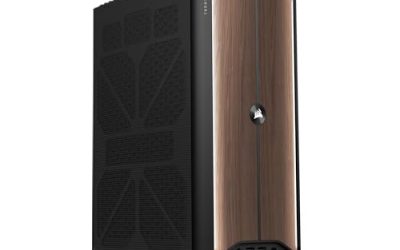
The Corsair ONE a600 is the flagship option here, built around liquid cooling for both the processor and the graphics card inside a sleek aluminum case. The AMD Ryzen 9 9900X3D and liquid-cooled NVIDIA GeForce RTX 5080 are the strongest pairing in this guide, and they are backed by 64GB of Vengeance DDR5 memory and 2+2TB of M.2 SSD storage. That combination suits a player who games at high resolution, creates content on the same machine and does not want storage or memory to become the next upgrade project.
Specs
- Model: CORSAIR ONE a600, model number CS-9020058-NA
- Processor: Liquid Cooled AMD Ryzen 9 9900X3D CPU
- Graphics: Liquid Cooled NVIDIA GeForce RTX 5080 GPU
- Memory: 64GB Vengeance DDR5 Memory
- Storage: 2+2TB M.2 SSD
- Case finish: Wood Dark
Best for: Players who want the strongest graphics and processor pairing in this compact group, plus generous memory and storage.
Watch out for: Its flagship specification is more than a 1080p-only setup needs, so match it to a demanding monitor.
ASIN: B0GKPPPKGC
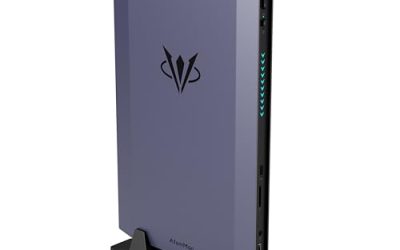
ASUS ROG NUC 970

The ROG NUC 970 takes the small-form-factor idea furthest, packing a gaming system into a mini PC format for desks where even a compact tower is too much. Its Intel Core Ultra 9 185H processor and GeForce RTX 4070 graphics with 8GB of GDDR6 memory give it genuine gaming positioning rather than office credentials, while 32GB of DDR5 RAM and a 1TB M.2 SSD match the memory and storage of the larger G22CH above. Choose it when floor and desk space are the hard limits and you still want a complete, ready-made gaming machine.
Specs
- Product: ASUS ROG NUC 970 Mini Gaming PC
- Processor: Intel Core Ultra 9 185H
- Graphics: GeForce RTX 4070 8GB GDDR6
- Memory: 32GB DDR5 RAM
- Storage: 1TB M.2 SSD
- Wireless: Wi-Fi 6E
- Operating system: Windows 11 Home
Best for: Very small desks, living-room setups and anyone who needs the tiniest gaming footprint in this guide.
Watch out for: The mini format leaves the least physical room of the three for future internal changes.
ASIN: B0DBBVNJ7H
Which One Fits Your Situation
You have a small desk but want a traditional tower
Pick the ASUS ROG G22CH DB779. It keeps the familiar compact-tower shape, so setting it up beside or under a desk feels like using a normal desktop, only smaller. Its RTX 4070, Core i7-13700KF and 32GB of DDR5 memory form a balanced specification for high-refresh gaming without paying for flagship hardware you may never use. It is the straightforward middle path in this group.
You game at 1440p or 4K and also create content
Pick the Corsair ONE a600. The liquid-cooled RTX 5080 and Ryzen 9 9900X3D are built for higher resolutions, and 64GB of memory plus 2+2TB of SSD storage support editing, streaming and a large permanent game library on the same machine. If one compact system has to do everything at a high level for years, this is the configuration designed for that job.
Your desk space is measured in centimetres, not shelves
Pick the ASUS ROG NUC 970. Its mini gaming PC format fits spaces a compact tower cannot, which makes it practical for a living-room television stand, a student room or a shared home office desk. You still get an RTX 4070, 32GB of DDR5 memory and a 1TB SSD, so the compromise is about physical expansion room rather than about giving up gaming hardware altogether.
You want one machine that needs the fewest near-term upgrades
Compare the Corsair ONE a600 and the ROG G22CH DB779 by their listed memory and storage first. The Corsair starts with 64GB of memory and 2+2TB of SSD capacity, double the memory and far more storage than either ASUS system, so it asks the least of you later. The G22CH remains the sensible pick if 32GB and 1TB already cover your library and workload comfortably.
Common Mistakes
- Buying on case size alone without checking which exact graphics card variant the listing names.
- Choosing a compact desktop with a small SSD and no clear plan for a growing game library.
- Pairing a high-end graphics card with a low-resolution, low-refresh monitor that cannot show the difference.
- Blocking the vents of a small case by pushing it tight against a wall or stacking items on top of it.
- Assuming every small-form-factor desktop can accept the same memory or graphics upgrades as a full-size tower.
Frequently Asked Questions
Is a small-form-factor gaming desktop powerful enough for modern games?
Yes, provided the listing names a proper gaming graphics card. The systems here use RTX 4070 or RTX 5080 graphics, which are gaming parts rather than basic display hardware. The real limits in a compact case are cooling and future expansion, so match the card to your monitor resolution and refresh rate instead of judging the machine by its size alone.
What is the difference between the ROG G22CH and the ROG NUC 970?
Both are ASUS gaming systems with RTX 4070 graphics, 32GB of DDR5 memory and a 1TB SSD, but they take different shapes. The G22CH is a small-form-factor tower with a Core i7-13700KF desktop processor, while the NUC 970 is a much smaller mini gaming PC built around a Core Ultra 9 185H. Choose the tower for a traditional layout, or the NUC for minimum footprint.
How much SSD storage does a compact gaming PC need?
Treat 1TB as the practical starting point, as fitted to both ASUS picks here, and expect to manage your library if you install several large games at once. If you prefer to keep everything installed, or you record and edit gameplay, a larger configuration such as the Corsair ONE a600 with its 2+2TB of M.2 SSD storage removes that pressure from the start.
Can you upgrade a small-form-factor gaming desktop later?
Sometimes, but the room available depends heavily on the design, and compact systems are generally less forgiving than full-size towers. Memory and storage are the areas to check in the listing before you buy, because those are the upgrades owners most often want first. If long-term graphics upgrades matter most to you, a larger tower format is usually the safer long-term home for them.