Key takeaways
- Three small-form-factor gaming desktops chosen for large game libraries, with 2TB starting drives, dual M.2 expansion and compact RTX hardware.
A large game library changes what “enough storage” means inside a small PC. One modern release can claim over 100 GB once expansions and updates land, so a compact desktop that looks generous on a spec sheet can start forcing deletions within a few months. The real decision is not the drive printed in the product name today, but how much room the machine gives you over its life: the size of the starting SSD, whether a second slot sits empty, and how painful an upgrade looks in a case barely bigger than a shoebox.

This roundup is for players with backlogs they refuse to prune, households sharing a single machine, and anyone moving a big Steam, Game Pass or Epic collection into a small desk or living-room setup. Every system below is a small-form-factor gaming desktop sold on Amazon, and each pick was chosen from the storage and expansion figures printed on its own listing, so the capacities and slot counts quoted match what the product page states.
Quick Picks
As an Amazon Associate we earn from qualifying purchases.
| Product | Best for | Key spec from title |
|---|---|---|
| ASUS ROG NUC (2025) with RTX 5070 Ti | Players who keep the whole library installed | 2TB NVMe SSD |
| ASUS ROG NUC (2025) with RTX 5070 | Compact desks with a rotating library | 1TB NVMe SSD, DDR5-6400 memory |
| GMKtec Nucbox K11 | Backlog builders who expand storage later | 2TB SSD, dual M.2 slots up to 8TB |
How to Choose
Do the capacity math on your own library first
Add up the games you genuinely keep installed, not the ones you own. A working library of twenty current titles can pass 1.5 TB once you count launchers, shader caches and the free space updates need to unpack. Then subtract what the operating system and everyday apps take from the advertised drive size, because a “1TB” machine does not hand you a full terabyte for games. If your honest total already sits near the starting capacity of a small desktop, that model is the wrong pick no matter how strong its graphics card is, and the bigger drive or the extra slot becomes the feature that matters most.
Count the free drive slots, not just the shipped drive
Two compact desktops can both ship with a 1TB SSD and age completely differently. One has a second M.2 slot waiting empty, so growing the library later means sliding in another drive and pointing your launcher at it. The other has a single slot, so the same growth means cloning everything onto a larger drive and swapping it. When you read a listing, look for the number of SSD slots and the maximum supported capacity, and check whether the starting configuration already fills every slot with smaller drives. An empty slot is the cheapest insurance a small-form-factor machine can offer a growing collection.
Check how an upgrade actually happens in a tiny case
Storage expansion on paper is only useful if you can reach the hardware. In mini PCs the M.2 slots usually sit under a bottom panel or beneath the cooling assembly, and listings rarely describe the process, so look for tool-less panels, standard 2280 drive support and a layout that does not bury the spare slot under the graphics hardware. Also decide how you feel about external storage: a USB drive can hold a secondary Steam library, but load times and update speeds trail an internal NVMe drive, and a cable snaking out of a tidy small setup defeats the point of buying compact.
Match the hardware tier to the library you actually play
A storage-first purchase still has to play the games it stores. Backlog players working through older releases and esports titles ask far less of a graphics card than players installing each new flagship release on day one, and that difference decides whether an integrated GPU is acceptable or a discrete RTX-class card is required. The listings below span both ends: two machines with mobile RTX 5070-series graphics for current releases, and one Ryzen system with integrated graphics that trades raw power for a second drive slot. Buy the tier your installed library needs today, not the tier a single demanding game might want once.
The 3 Best Options
ASUS ROG NUC (2025) with RTX 5070 Ti
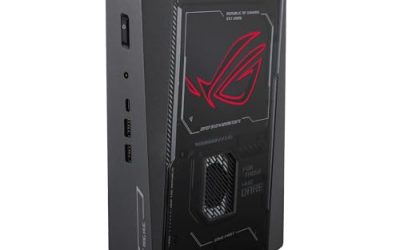
This is the configuration to pick when the library comes first and the desk second. The listing pairs the strongest graphics option in this roundup with a 2TB NVMe SSD, so a large installed collection fits from day one without an immediate upgrade project. The Core Ultra 9 processor and triple-fan cooling suit long sessions across a mix of current releases, and the roughly three-litre chassis stands vertically or hides beside a monitor. For players who measure their backlog in terabytes and want a compact machine that simply swallows it, this is the straightforward answer.
Specs
- Processor: Intel Core Ultra 9 (Series 2) ARL-HX
- Graphics: NVIDIA GeForce RTX 5070 Ti Mobile GPU
- Memory: 32GB DDR5 RAM
- Storage: 2TB NVMe SSD
- Connectivity: Thunderbolt 4
- Cooling: triple-fan cooling with ARGB lighting
- Model: RNUC15JNK9X38AAU
Best for: Players who keep dozens of large titles installed at once in the smallest possible box.
Watch out for: This listing groups several ROG NUC configurations together, so confirm the 2TB capacity and the RNUC15JNK9X38AAU model number are the ones selected before ordering.
ASIN: B0FHYMZQ4K
ASUS ROG NUC (2025) with RTX 5070
Choose this version if your library rotates rather than accumulates. The listing combines the same Core Ultra 9 platform and RTX 5070 mobile graphics with fast DDR5-6400 memory, but the starting drive is 1TB, which suits players who finish a game, uninstall it and move on. The chassis is the same compact three-litre design with triple-fan cooling and Thunderbolt 4, so it fits the desks and TV stands the bigger-storage model does. It is the sensible pick when your installed list stays lean and download speeds at home are quick enough that re-downloading a finished title is no hardship.
Specs
- Processor: Intel Core Ultra 9 275HX
- Graphics: NVIDIA GeForce RTX 5070 Mobile GPU
- Memory: 32GB DDR5-6400 RAM
- Storage: 1TB NVMe SSD
- Connectivity: Thunderbolt 4
- Cooling: triple-fan cooling with ARGB lighting
- Model: RNUC15JNK9X489AU
Best for: Players with a focused rotation of current titles who want RTX 5070-class power in a three-litre case.
Watch out for: A 1TB starting drive fills quickly once a few large releases land together, so check the exact configuration on the listing and plan your installs around the space actually available.
ASIN: B0FLBYKK6Q
GMKtec Nucbox K11
The K11 is built around the upgrade path rather than the spec-sheet headline. Its listing starts you with a 2TB PCIe 4.0 SSD and, more importantly, a second M.2 2280 slot, with total storage support up to 8TB across the two slots, so the library can grow in place instead of forcing a drive swap. The Ryzen 9 8945HS and its integrated Radeon graphics handle esports titles and older backlog games well, and the OCuLink port leaves a door open to external graphics later. Dual 2.5G LAN ports, Wi-Fi 6 and a bundled VESA mount round out a machine aimed at tidy, flexible setups.
Specs
- Processor: AMD Ryzen 9 8945HS (8 cores, 16 threads, up to 5.2 GHz)
- Graphics: AMD Radeon 780M integrated graphics
- Memory: 32GB DDR5 5600MHz (16GB x 2), dual SO-DIMM slots, up to 96GB
- Storage: 2TB PCIe 4.0 M.2 2280 NVMe SSD
- Storage expansion: dual M.2 2280 PCIe 4.0 slots, up to 8TB total
- Connectivity: OCuLink port, dual Intel i226V 2.5G LAN, Wi-Fi 6, Bluetooth 5.2, USB4, HDMI, DisplayPort
- Cooling: dual fan
- Included: VESA mount with screws, HDMI cable
Best for: Backlog builders who want 2TB now and a free second slot for the next storage jump.
Watch out for: The integrated Radeon 780M is not a discrete graphics card, so the newest flagship releases at high settings are beyond it; also confirm the 2TB variant is selected, since this listing also sells smaller configurations.
ASIN: B0DPCDC98W
Which One Fits Your Situation
You keep thirty or more games installed at once
Start with the ROG NUC (2025) in its RTX 5070 Ti configuration. The 2TB drive is the only starting point here that absorbs a library of that size without an immediate second purchase, and the stronger graphics card keeps the biggest of those installs playing properly. Players at this level delete games reluctantly, so capacity on day one matters more than an upgrade path they may never enjoy opening the case for.
Your library grows with every sale and you hate reinstalling
The GMKtec Nucbox K11 fits the hoarder pattern best. You begin with 2TB already installed, and when the next few sale seasons push past it, the second M.2 slot takes another drive without wiping or cloning the first. Total support up to 8TB means the machine grows with the collection for years, and the VESA mount keeps the whole thing tucked behind a monitor while it does it.
You play a few titles deeply and re-download the rest
The ROG NUC (2025) with RTX 5070 is your match. A 1TB drive is plenty when only a handful of games live on the machine at any moment, and the money not spent on storage goes into the same strong processor, fast DDR5-6400 memory and RTX 5070 graphics. With a fast home connection, a finished game is an overnight download away rather than a permanent resident.
You want the library in the living room, not the office
Both compact picks work under a TV, but the Nucbox K11 has the neatest trick: the VESA mount in the box lets it disappear behind the screen entirely, leaving only a controller on the coffee table. Its 2TB starting drive suits a shared household collection, and the second slot waits for the day the family’s installed list outgrows it.
Common Mistakes
- Buying a 512GB or 1TB machine for a library that already measures over a terabyte, then spending the first year deleting games instead of playing them.
- Assuming every small desktop has a free drive slot, when some ship with all slots filled by smaller drives and no room to grow.
- Parking the main library on a slow external hard drive and blaming the PC for long load times and patchy update speeds.
- Filling an SSD to the last gigabyte, leaving no headroom for the large updates modern games download before they can launch.
- Comparing graphics cards across these listings without noticing which machines use integrated graphics and which carry a discrete RTX GPU.
Frequently Asked Questions
How much storage does a large game library actually need?
Count the games you keep installed, not the ones you own. Twenty current titles with expansions commonly pass 1.5 TB, and updates need free headroom on top of that. For most large libraries, 2TB is the comfortable starting point in a small desktop, and a free second slot matters almost as much as the first drive’s size.
Can I add a second SSD to a small gaming desktop later?
Only if the machine has a free slot. Some compact systems, like the Nucbox K11 in this roundup, list dual M.2 slots with a stated maximum total capacity, which makes adding a drive simple. Others rely on a single slot, so growing means replacing the existing drive and moving your library across. Check the slot count on the listing before you buy.
Is 1TB enough if I mostly play a few games?
Yes, for a focused rotation. If you finish a title, uninstall it and keep only a handful installed, a 1TB drive in something like the RTX 5070 ROG NUC configuration is workable, especially with a fast internet connection for re-downloads. It becomes a problem when several large releases you actively play land in the same season.
Should a game library live on NVMe or SATA storage?
NVMe is the better home for the games you play now: load times, texture streaming and update installs all move faster than on SATA drives or external hard drives. In this size class most internal slots are M.2 NVMe anyway. Slower or external storage still has a role for archived titles you rarely open, as long as you accept slower loading when you revisit them.